Mesh Central - Add to Admin Group Membership (WIN):
About:
This document will explain how to ADD Admin Group Membership in Mesh Central, remotely on a WINOS.
How to:
!! IMPORTANT !!
Be extremely cautious when doing this as it can mess things up if done at the wrong place or with the wrong person, depending on your setup.
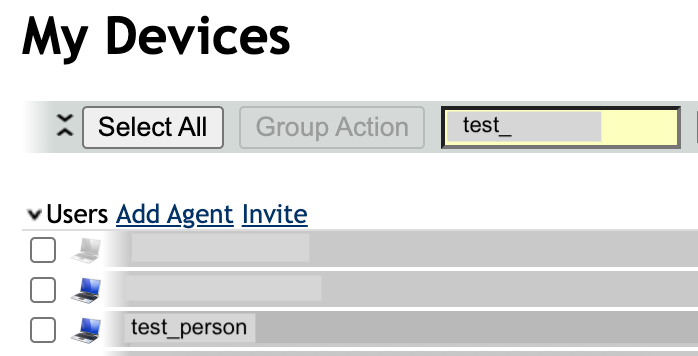
- Go to Mesh Central. Search for the employees name and click it.
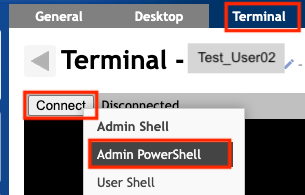
- Make sure you click ‘Terminal’, then right click ‘Connect’ and choose ‘Admin Power Shell’.
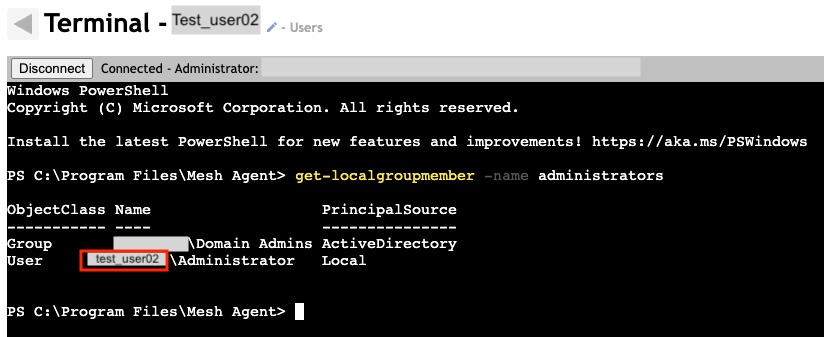
- Type the code:
Get-LocalGroupMember -name administrators
in the terminal. It should tell you if the user is Local or Admin. In this case the user is a local user, and not an admin.
And you are done. 😄